Saturday, August 10, 2013

VSCO GRID

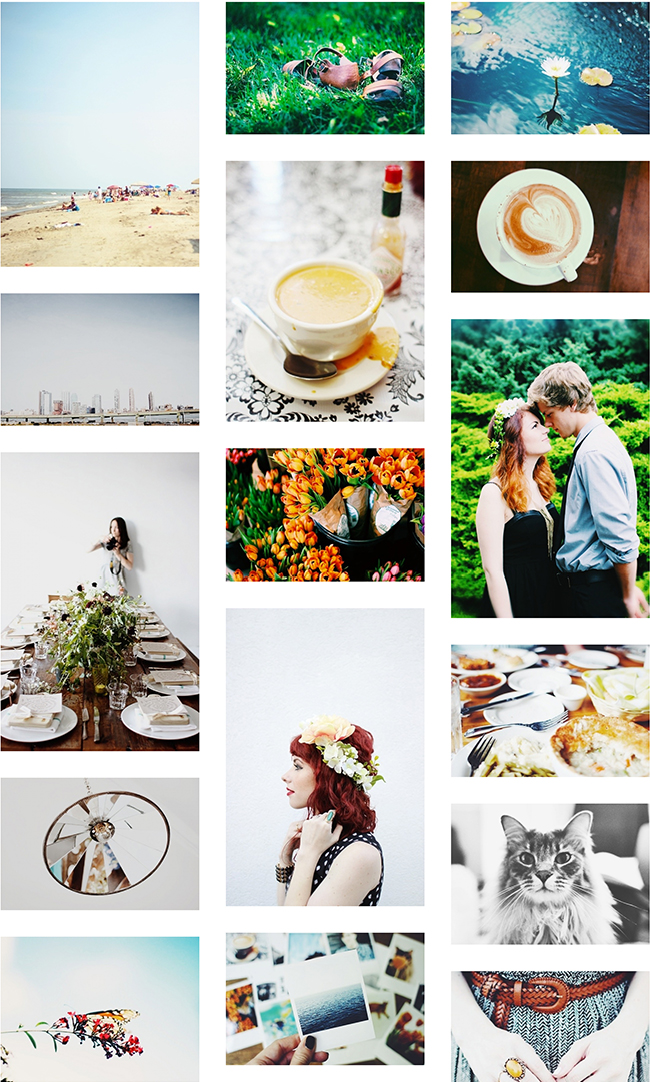
Have you heard about VSCO Grid? You might already have the VSCO Camera app on your phone. I love their filters and the richness it gives photos. It's one of my favorite go-to photo editing apps. Recently VSCO released Grid. The VSCO Grid is NOT a social network, it's just a way to display your best photos in an absolutely beautiful and simple way. You can access it via your phone, tablet, or desktop. There are so many amazing artists on there and it's filled to the brim with inspiration! You can visit my VSCO Grid here, I'm still working on adding my favorite photos. :)

Since the Grid is still in it's beta version you'll have to request an invite to get your own. Check out this link on how to request your Grid. While you're at it, also be sure to check out the VSCO journal and some of the beautiful curated photos on the VSCO community Grid. :) 

Do you have a VSCO Grid? I'd love to see! Please share your link below. Happy Saturday! 

Tuesday, December 04, 2012

CHEER: PHOTOS FOR CHRISTMASTIME

One thing that I've always wanted to do, and just started doing this year, is taking family photos for Christmas. Jon and I talked about it when we first got married, but always ended up waiting until the last minute. This year we had our friend Danielle from Valimont Photography snap some holiday pictures for us a couple weeks ago. I love how they turned out and I'm so thankful that we took the time to get our pictures taken. While I love photographing my life and can usually be found with my camera by my side, photos of Jon and I together don't happen very often. Sometimes paying a friend and//or professional photographer for 30 minutes of their time is totally worth it. :)

For today's 12 Days of Christmas Cheer, I'm sharing some family photo inspiration for Christmastime! It's not too late to get your family together to snap a couple shots to put in your Christmas cards. ;)

Photos Found Here: 1 - 2 - 3 - 4 - 5 - 6 - 7 - 8 - 9 - 10

Tips on getting a good family photo:
1. If it's just you and your significant other, try setting up your camera on a tripod and using a self timer. I might even suggest buying an inexpensive wireless shutter release for your camera so you can easily snap pictures. For bigger families or if you don't have a good camera to shoot with, consider asking a friend with a DSLR to take some photos of you. :)
2. It's always best to take photos in natural lighting. Outside is even better, especially if it's a little overcast. Using a flash can appear harsh, but capturing the soft glow of lights inside or sharing your Christmas tree buying experience outside is the best for beautiful photos.
3. Get in your element. If you and your family are adventurers or bookworms, show that in your picture! Have fun and don't feel like you have to be too posed.
4. Use props! Sometimes it's easier to get into the photo taking spirit when you have a couple props. Try making your own Christmas sign, wrapping each other up in lights or wearing fun hats. Don't you just love the one of the kids on the chalkboard floor above? So clever!
5. Leave room for text. If you would like your photo to have text designed over it or plan to use something like TinyPrints to create your Christmas cards, make sure some of your photo options have a lot of space on one side, just have your photographer zoom out a little more so you can edit it how you like. :)

This year, I decided to design my own cards and took one of the pictures from our shoot and did a simple text treatment over it. We got our photos printed via Shutterfly and will be handwriting cards and putting the photos in each envelope. This turned out to be very affordable! Do you take family photos each year for Christmas? If so, what were some of your favorite photo taking memories and tips?? Be sure to check out Jenny's blog later today to get some great Christmas card inspiration. :)

Just in case you missed it, check out some of our other Christmas Cheer posts and be sure to follow along on our Facebook page!
Day 1: Advent Calendar DIY - Here + Jenny's
Day 2: Our Favorite Christmas Movies & Music - Here + Jenny's
Day 3: Snow Globe DIY + Homemade Marshmallow's 


Monday, November 19, 2012

SNAPSHOTS: WINTERTIME MAIEDAE PHOTOS

Last weekend, Jenny and I got our pictures taken by Danielle so we could update our current summer-y photos with a more wintertime look. We love having Danielle take our pictures. She's so talented and has a great eye for locations and capturing people. These were shot at The Goat Farm in Atlanta. We originally wanted to shoot everything outside, but fell in love with their coffee shop and decided to do the whole shoot there. Antique goodness everywhere!! Here are a couple of my favorites:


So blessed to have a business partner that also happens to be my best friend. Love this girl. Be sure to check out some of Jenny's favorites from the shoot here. :)

* All photos taken by Danielle of Valimont Photography


Thursday, November 15, 2012

SNAPSHOTS: HOLIDAY PHOTOS

This year will be Jon's and my third Christmas together as Mr. & Mrs. Wallace. I've wanted to take holiday photos together since the beginning, but I always ended up waiting until the last minute. It was either too close to Christmas to send out cards or too cold! Brr. Well this year we did it!! Jenny and I got our Maiedae pictures taken by Danielle at Valimont Photography in early spring, (see some of our photos here). We loved working with Danielle...she has such a beautiful heart and is very talented at capturing people. So last Sunday, we decided to have her take some couples' portraits of us and take some new Maiedae photos to update our current pictures. I love how everything turned out. I got to look through all of the pictures today and spent a lot of time "oohing" and "ahhing". :)

Here are a couple of my favorite shots from our couples' session. Jon loved being kissy and close. He makes me heart smile SO big. I love this man and I can't wait to celebrate another Thanksgiving and Christmas together.


And now to pick one for our Christmas card! --- Thank you, Danielle, for taking these pictures for us. They are so special and we loved working with you! 

Jenny and I will be sure to share a couple shots from our Maiedae photo session with Danielle soon! They were taken in one of my favorite locations of all time. :) Lots of vintage, coffee, and books involved...SO good!

Outfit Details: Camel Jacket & Cream Top - Buffalo Exchange // Skinny Jeans - American Eagle Outfitters // Taupe Mocs - Minnetonka // Leather & Lace Earrings - Roots & Feathers 


Friday, September 21, 2012

TOOLKIT: PHOTOGRAPHY

One of the things I love most about blogging is sharing information. I love learning from others and sharing the things I've experienced and learned myself. In my opinion, photography, or the ability to take a good photo, is a huge part of life. Having good quality, attractive photos is important for eye-catching blog posts, capturing your product as a small business, creating memories, and making moments eternal.

I am NOT a professional photographer. I consider myself an amateur, and have loved experimenting with photography over the past 3 years. I first learned about using an SLR during college and purchased one for myself after graduating as a way to make my blog more professional and record life for myself. In order to learn about taking pictures and really challenge myself I started Project 365 during my senior year of college and recorded my last few months of college, wedding planning, marriage, honeymoon, moving into our first home, starting our first jobs and getting our first little pet. It was such an exciting project to take on and it really helped me to (1) take my camera with me everywhere and (2) see more opportunities in everyday life to take pictures.

Getting my DSLR a year ago was so, so, so exciting. My camera was glued to my hip and it was so thrilling to see the quality of my photos improve as I learned to use it and experimented with fun lenses and editing programs. This "toolkit" post will outline my favorite camera must-haves and what I use on a regular basis for Maiedae and life. I hope you find it a helpful resource!!

THE CAMERA + MY EVERYDAY LENSES: As I mentioned above, I purchased my first DSLR one year ago. After a lot of research and looking at my price range, I decided to purchase a Canon Rebel T3i. This camera comes with a 18-55mm f/3.5-5.6 lens, which is a good basic lens that does well inside and VERY well outdoors with some good natural lighting. It was love at first site. The T3i is a great camera for an affordable price and I have found that is does everything I need it to do as a blogger and small business owner. After several months of experimenting with my camera and practicing on my cats I decided to purchase a 50mm f/1.8 lens. This has quickly become my new favorite lens and is on my camera 95% of the time. It does great in lower light settings and adds a beautiful blur to my photos because of it's shallow depth of field. The only trick is that there is no zooming in and out with this lens so it's not optimal for photographing a room or group of people in a smaller space. But it IS fantastic for portraits, and more up-close shots. Most of the photos on my blog are taken with this lens. Below are a few examples of photos taken with the standard lens that comes with the camera and the 50mm lens:


ACCESSORIES + OTHER FUN LENSES: Being able to purchase useful accessories and quirky lenses is a fun way to experiment and make things easier on yourself. Here is a collection of my favorite camera accessories:

1// iMo Camera Straps ---> Jon bought me a new camera strap last Christmas to replace the Canon strap that came with my camera. I love the quality of these straps and the beautiful designs. It's comfortable around my neck and makes my camera more of a wearable accessory.

2// Wireless Shutter Release ---> This little guy was less that $5.00 and a great item to add to any toolkit. Mount your camera to a tripod and use this handy remote to take pictures automatically or with a 2 second delay. I used this last month to take pictures of Jenny and I!

3// Wide Angle Lens ---> This lens fits right over your standard lens to add more of a wide angle to your photos as well as the option to zoom in closer. It's very affordable and is a great option if you're not ready to invest in a more expensive wide-angle lens.

4// Fisheye Lens Adapter ---> I bought this as well as the lens above at Photojojo.com. I love that this lens allows me to add a toy camera quality to my SLR and is fairly inexpensive. Overall, Photojojo is a GREAT resource for quirky photography gear.

Here is an example of a couple shots I took using the wide-angle and fisheye lens:

5// JoTotes ---> This was the first camera bag I purchased. I love how organized it is on the inside and how sturdy the bag is as a whole. JoTotes has beautiful camera bag options in an array of colors. I would also say that they are great multi-purpose bags! You can use them as a diaper bag, workbag, overnight bag...etc. Definitely a top recommendation.

6// Kelly Moore Bag ---> This bag was a little more of a splurge for me this year. I wanted something that could hold my macbook, charger, iPad, wallet, camera and other things if necessary. And this bag sure does the trick! I currently use this bag as a work bag when I go to my 9-5 and as a carry-on purse when traveling. It's also a great multi-purpose bag that is very organized, has lots of pockets and is great for all your camera goodies.

PHOTO EDITING SOFTWARE: Taking a good picture is the first step. Editing it to make it shine is the next. All of the photos I take go through an editing process to give them a little lift before they're posted or shown to others. These are my go-to programs I find myself using almost everyday:

1// Photoshop CS5 - If you were to ask me how much time I spend in Photoshop every week I would probably say an average of 30-40+ hours. As a graphic designer I use Photoshop ALL the time and I also use it to size, crop, and edit my photos. I don't know all of the professional photographer tips and tricks for specifically editing photographs, BUT I do use a lot of the basic and intermediate tools when it comes to photography.

2// Radlab - Ok! I'm excited about this one! When it comes to my photography toolkit, Radlab is my all time favorite!! I LOVE this program. I use it for pretty much all of my photographs and I can't imagine editing without it. You can see an example of what it looks like in the screenshot above as well as a few photos I shot edited in Radlab above the screenshot. In order to use radlab you have to have to have Photoshop. It's an action based program that runs through Photoshop and gives you the ability to apply beautiful filters to your photos. You can mix filters and create your own recipes. The people over at GetTotallyRad have some other awesome products that you should check out too! AND be sure to enter 1255MAIEDAE at checkout to get 15% off of your purchase. Awesome!

CHECK IT OUT: Here are a couple extra things to peruse and possibly add to your toolkit.

1// The Study of Light E-Course by Arrow & Apple ---> "The Study of Light is a brand-new online course that covers everything from lighting outdoors to lighting indoors! The course is split up into eight weeks, although it's set up so that you can go at your own pace. You won't need an expensive flash or lighting set-up - in fact, I will show you how to use what you already have, as well as how to build your own indoor home studio (lights and all) for less than $50. Each week is interactive, and you'll also have a little homework too!" I have yet to take this, but as soon as the pace slows down a bit at the Wallace household I will be diving into this amazing e-course! 

2// Click Magazine ---> A new magazine that just came out for the "modern photographer." It looks like it will have some incredible resources and inspiration! I'm planning on subscribing and can't wait to get my first issue.

3// Clickin Moms ---> I'm not a mamma yet, but I love this beautiful online resources for photographer ladies. In fact, the magazine above was created by Clickin Moms! 

And there you go! That's everything in my photography toolkit! I hope you where introduced to some new exciting things or are inspired to start clickin' away! If you have any toolkit essentials you'd like to share, please comment below and share your link! 


Thursday, May 10, 2012

GIVEAWAY: RADLAB

Today is awesome, because I am sharing one of my all time favorite products on earth, AND I'm giving away a copy, courtesy of Get Totally Rad!! I've been using RabLab since last year for ALL of my photos; everything I put on my blog and all the pictures I take for clients.

RadLab is an easy-peasy way to add actions (edits) to your photographs on Photoshop (also compatible with elements.) It acts as a "plug-in" where you can open your pictures, apply recipes, make your own mixes, and create stunning photographs.

Check out this helpful video that explains RadLab in more depth:


I love sharing resources and products I love and use everyday, AND I especially love that I get to offer one lucky winner RadLab for free!! Psst -- Want to go ahead and buy RadLab now and not wait?? Get Totally Rad is having a Mothers' Day sale! Get $50 off your purchase with coupon code: MOMSDAY.

Giveaway Time!
Enter for your chance to win RadLab! You must have Photoshop or Photoshop Elements in order to run the plug-in. One winner will be selected at random and announced within a week!

Here's all you have to do
Main Entry: Tell me what you would use RabLab for if you won! Be sure to leave an email address so I can contact you if you win. :)
Bonus Entries: (please leave one comment per bonus entry)
1. Follow Maiedae via GFC (on left)
2. Like Maiedae on Facebook
3. Like Get Totally Rad on Facebook
4. Tweet about it! You can even copy and paste this: Win RadLab on @Maiedae 's blog!! Totally rad way to make your photos beautiful. http://maiedae.blogspot.com/2012/05/giveaway-radlab.html

Best of luck!!!


Friday, March 23, 2012

ENGAGEMENT PHOTO SESSION: JENNY & DREW

I'm so excited to share with you my first official engagement shoot photos! My best friend and business partner, Jenny, is getting married in June and she asked me to take her engagement pictures. I was so honored to be able to take their pictures and eager to practice my photography skills. ;)

I love how the pictures turned out. We took a road trip up to Rome, GA, for the shoot and took pictures in the downtown area and on Berry's campus. Here are a few of my very, very favorites:

I'm so excited about this weekend! I've been super busy planning two wedding showers with my friend Anica for Jenny. We are throwing a couples' shower tonight and a lingerie shower on Sunday. Let the wedding festivities begin!


Wednesday, March 07, 2012

MAIEDAE PHOTOSHOOT SNEAK PEEK

I just wanted to show you a quick sneak peek from the photo-shoot on Sunday! Danielle was absolutely fabulous to work with. Jenny and I are so excited to have official MaieDae pictures. :) Danielle posted these teasers on her Facebook page yesterday:


Aren't they great?!? I can't wait to see the rest soon. I just love the colors and compositions of these! Check out Valimont Photography on Facebook and this interview Jenny did with her on Pulchritude Fest! I'll be sure to share another sneak peek next week!


Thursday, February 23, 2012

PRINTING INSTAGRAM PHOTOS

I love that there are fun ways to print Instagram photos and use them to decorate your home. I'm awful about printing pictures; it's been almost two years and I haven't printed a single wedding photo! One of my goals for this year has been to print more pictures and use them to make our home more sentimental.

We don't have a single fridge magnet, so I decided to start with Stickygram and print a set of nine. I received them a couple days after I ordered them and I'm really happy with how they look and their cute size. :)

Once I collect more pictures on my Instagram, I'm definitely planning on printing more...AND I ordered some 4x4 prints from PostalPix with which I'm planning a fun DIY for later! Now to get on those wedding photos...

Fun Ways to Print Your Instagram Photos
* Stickygram - Fridge magnets.
* Postagram - Send a picture postcard for $0.99
* PostalPix - Prints.
* Printstagram - Instagram posters.
* Canvas Pop - Print Instagrams on canvas.
* Instagoodies - Stickers!
* Casetagram - Custom iPhone cases.

How do you like to display//print your pictures??


Thursday, February 09, 2012

INSTAGRAMIN' IN FEBRUARY


Just wanted to drop in! Things are going great in Orlando. I'm having a wonderful time and I don't feel like the wide-eyed new person that doesn't know anything anymore. Last year's seminar was definitely a crazy overwhelming experience and this year, I feel very relaxed and excited about my design work. :) 

Let's get to the good stuff...Instagram! If you have an iPhone, I'm guessing that this might be one of your favorite apps?? I love it. It's my go-to app. I love seeing all of the beautiful pictures from peoples' lives (nosy much?) and I love being able to easily record memories myself. I just recently jumped on the Instagram train toward the end of last year and I have loved looking back on my little collection of pictures.

Last year, I completed Project 365 and I thought seriously about doing it again for 2012, but decided to wait until the one day, maybe faraway, maybe soon time when Jon and I start a family. SO...when I saw that there were some fun monthly photo taking challenges floating around on Instagram, I knew it was something I'd be excited to take on.

I looked at a couple different photo challenges for February and decided to go with Instafa. I liked their interesting//challenging daily prompts and I'm having a lot of fun doing another photo challenge. :)

Above are my pictures for the first nine days. I've always loved dabbling around with photography so this challenge has been good for keeping me thinking outside the box on a daily basis. BTW -- I'm @maiedae on Instagram if you'd like to follow! :)

Are you doing any photo challenges this month//year?? What has been your favorite photo challenge??

Goodnight to you!

Monday, November 14, 2011

Holiday Lookbook Sneak Peek!

As mentioned in the last post, Jenny and I have been busy, busy bees working on some special holiday projects for MaieDae. This past Saturday, we had the opportunity to work with some fantastic models//helpers for our holiday photo-shoot! We are in the process of editing hundreds of photos for a major shop update and put together our very first lookbook! We are thrilled with how the photos and styling came out and I can't wait to share!

For now, here is just a little sneak peek:


Tuesday, November 01, 2011

Fancy Shmancy: Camera Edition

I certainly don't consider myself a professional photographer...at all! During college, I took my first photography class and started my first photography challenge, Project 365. I had a blast experimenting with photography and really grew to love it. Even though I shoot photos here and there for friends and family, I really just love to photograph for myself and learn how to capture my life and special memories in a really beautiful way. I recently purchased my first DSLR (Canon T3i) and I've fallen head over hills for the picture quality and fast shutter speed! I'm hoping to take a lot of time in 2012 to really challenge my photography skills and learn new things. I'm even planning to start a brand new photo challenge in January!

For this week's Fancy Shmancy, I wanted to share some amazing photography related products! I think I'll put a few of these on my Christmas wish list!


1. Wide Angle & Macro Lens Adaptor - I think this is way cool! I've been looking for a wide-angle lens lately and I love how this has an option of also being a macro lens. Photojojo.com is seriously an amazing resource for really unique camera gear and camera related gifts.

2. JoTotes Camera Bag - I bought myself a JoTotes camera bag several months ago and I absolutely love it. It's really durable and I use it for everything. 

3. The Impossible Project - UO is now selling Polaroid cameras and film via The Impossible Project for a limited time. For all you camera fanatics out there, this is a perfect Christmas gift! 

4. Vintage Camera Bags - Amy of A is for Ampersand has an adorable shop where she converts vintage bag into customized camera totes. Bonus: She lets you pick your insert material for a huge (and adorable) selection of beautiful fabrics.

5. Dreamy Diana Lens - Love the nostalga of a film camera, but hate the expense? This Diana lens fits on your DSLR and produces a similar effect of our beloved Diana cameras. 

6. Radlab - I'm not even kidding...I'm experimenting with the trial version right now. Coolest photo editing tool I have ever used! If you have Photoshop or Lightroom, I HIGHLY suggest you download the free trial here

7. Photoshop Actions - I love a good set of actions. This is an easy way to apply edits to your pictures with a simple click. The Pioneer Woman has a beautiful set of photo actions on her site you can download for free! 

What are your favorite photography tips, tricks, or tools??

Thursday, August 25, 2011

Photographs: Kelsie & Jacob

Last weekend, my little sister Kelsie asked me to take photos of her with her boyfriend at the park. I was really happy with how some of them came out and I wanted to share one with you!


Aren't they adorable? :) -- I love being able to spend some time behind the camera. I've worn out my current camera since I got it last Christmas and I'm looking to upgrade to an SLR soon! -- Just keeping my eye out for a good deal and researching good camera lenses. Have any suggestions??


PS - My August giveaways are quickly coming to an end. Enter the Sponsor Love Giveaway here and the Medium Sponsor Spot Giveaway here! Winners will be selected and announced on Saturday!